Find Past Years
Open any year's Series Finale again from your profile.
Last updated October 1, 2026
Every Series Finale you've had is kept in your profile, so you can go back to any year whenever you like. Recaps don't expire.
- Go to your Profile.
- Open the Data Management tab.
- In the Series Finale section, select Open next to the year you want.
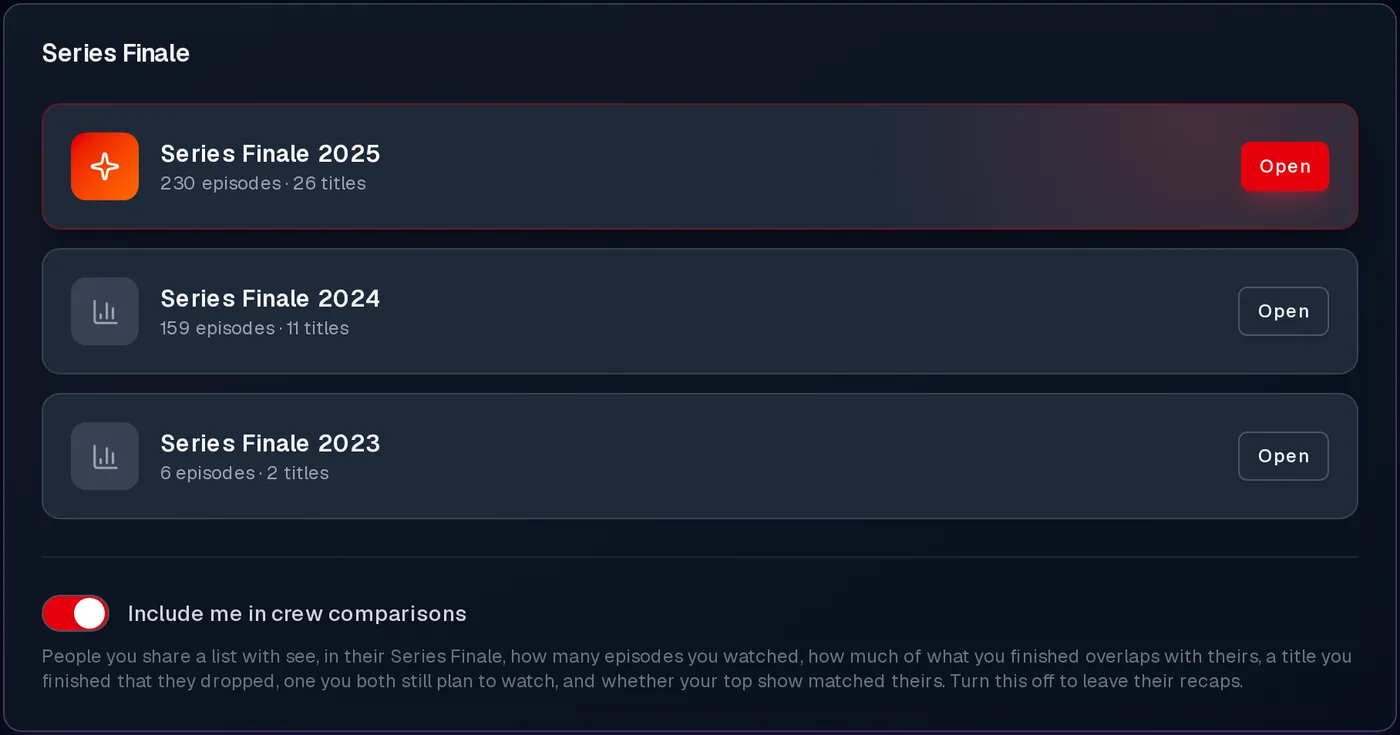
Years are listed newest first, with each year's episode and title counts. The newest is highlighted.
The archive is also where to find a Series Finale once the dashboard banner has gone. The banner only promotes your newest year, and only until you've been through it or selected Not now.
You'll find a Series Finale for every completed calendar year from when you started using WatchThis. A year shows up once it has ended in your profile's timezone.
If you've used WatchThis for several years, the archive may fill in over a few visits. The newest year is always ready first, and older years are added each time you come back to your dashboard or profile.
Years where you watched fewer than 10 episodes and finished fewer than 5 titles are still listed. Opening one shows a short note instead of the full recap:

Each Series Finale is a snapshot taken when it was first put together. Updating your history afterwards (marking an old film completed, say, or un-ticking episodes) won't change a year's recap. That keeps your recap matching any card you've already shared.
The one exception is your friends. If someone in your crew later turns off crew comparisons, they're removed from your past recaps too, and anyone who changes their username shows under their new name.